
What size should a photo mosaic be?
Published
The size decides everything: how many photos you need, how far away the portrait reads, which part of the photo is kept. Here are the sizes Pixmosa offers, how they differ and how to choose.
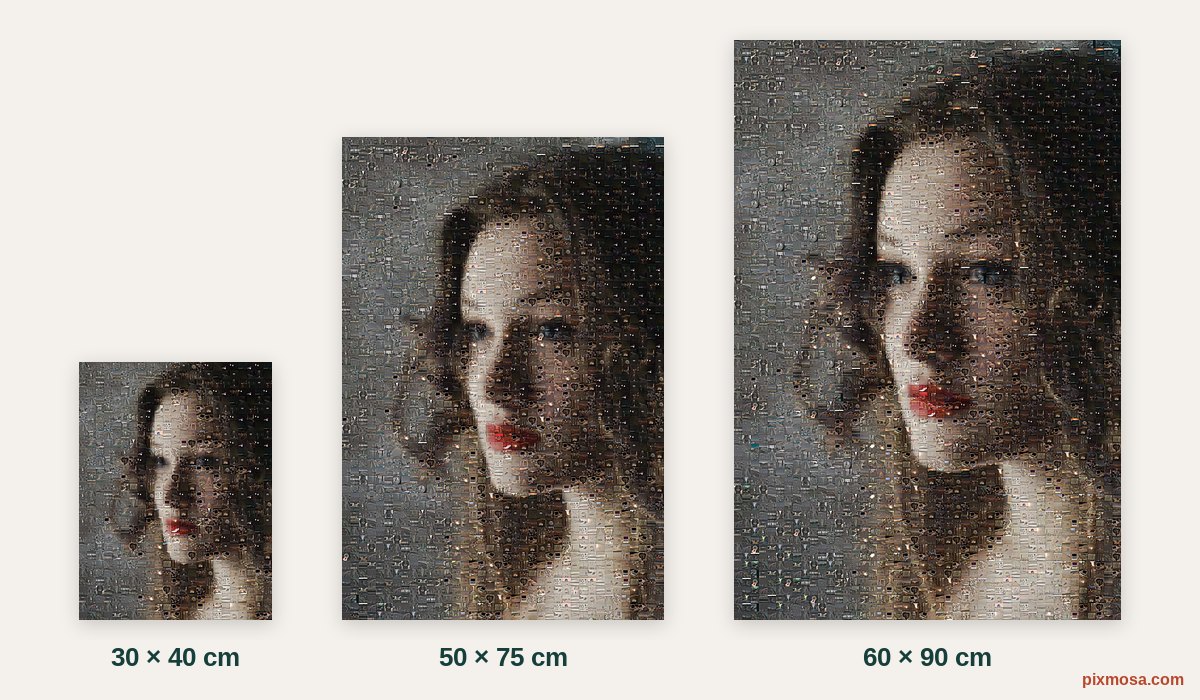
In short: pick 20 × 30 in (or 50 × 75 cm in Europe) for most walls, a small size for a small space or few photos, 24 × 36 in (or 60 × 90 cm) for a large wall and 300 photos or more. Keep tiles of 10 to 15 mm.
The sizes on offer
Pixmosa offers the poster sizes photo labs sell, plus the A sizes for professional printers. The number of cells is the grid with 13 mm tiles, the default.
| Size (ratio) | Cells (13 mm) | For |
|---|---|---|
| 16 × 24 in (2:3) | 1,426 | A bedroom, a hallway |
| 20 × 30 in (2:3) | 2,262 | The recommended size: the portrait from afar, each photo up close |
| 24 × 36 in (2:3) | 3,220 | A large wall, many photos |
| 30 × 40 cm (3:4) | 690 | A small wall, a shelf, few photos |
| 40 × 60, 50 × 75, 60 × 90 cm (2:3) | 1,380 to 3,174 | The European lab equivalents |
| 50 × 70 cm (5:7) | 2,014 | A common frame size in Europe |
| A3, A2, A1 (1:1.41) | 704 to 2,880 | Professional printers, with the HD PDF |
The more cells, the more detailed the portrait, and the more photos you need to avoid repeats. The guide how many photos you need gives the recommended number for each size.
Ratio and framing
A poster does not always have the shape of your photo. A phone photo is usually 3:4, like 30 × 40 cm; 20 × 30 in and 24 × 36 in posters are 2:3, a little narrower. The mosaic always fills the whole poster: the part of the photo that does not fit is cut.
- Pick the orientation (portrait or landscape) to match the main photo.
- Set the "Framing" (centred, top, bottom, left, right) to decide which part is kept: "Top" avoids cutting a head too close to the edge.
- Look at the preview: it shows the framing that will be printed.
Tile size
The "Tile size" setting goes from 6 to 25 mm (about ¼ to 1 in). It is the second choice that matters, after the poster size:
- Smaller tiles (8 to 10 mm): more cells, a finer portrait, but smaller photos and more repeats.
- Bigger tiles (15 to 20 mm): each photo shows better, the portrait is less detailed. Handy when you have few photos.
- Sharpness stays good: up to 21 mm, the tool shows "print quality" (300 dpi or more) for each small photo.
Choosing for your wall
- Above a sofa or a bed: 24 × 36 in, often in landscape.
- In a bedroom, a study, an entrance: 16 × 24 or 20 × 30 in.
- On a shelf or a small piece of wall: 30 × 40 cm (about 12 × 16 in).
- With a ready-made frame: pick a common frame size, such as 24 × 36 in.
Choose in the tool the exact size you will order from the lab: the file will fit, with no white band and nothing cropped. The guide where and how to print your mosaic explains which file to send.
Questions
Can I change the size after buying?
Yes. As long as you keep the same photos, you can change the size, orientation or framing and download again, for 30 days. Every size is included in the price.
A2 or 20 × 30 in?
For a consumer photo lab, pick 20 × 30 in (or 50 × 75 cm in Europe): it is the poster size they sell. A2 suits professional printers, with the HD PDF.
Is there a square size?
Not for now: the sizes offered are the ones photo labs and printers sell, in portrait or landscape.
Which tile size should I choose?
Between 10 and 15 mm for most posters. The default, 13 mm (about half an inch), is a good balance between the detail of the portrait and the size of each photo.